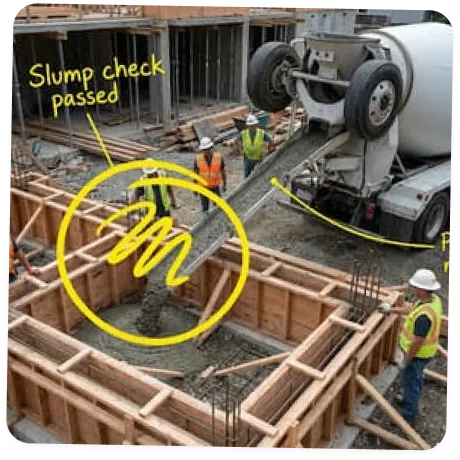
A walkthrough camera built for the jobsite
One narrated recording captures the whole day. Walk the site with the camera rolling — talk through progress and issues, snap photos mid-walk, zoom in on critical details, and keep recording with zero signal. Everything syncs to the cloud automatically.
One walkthrough at the end of the day, zero paperwork
Record it, let AI draft the scope, review, publish, share. Nobody types a single word.
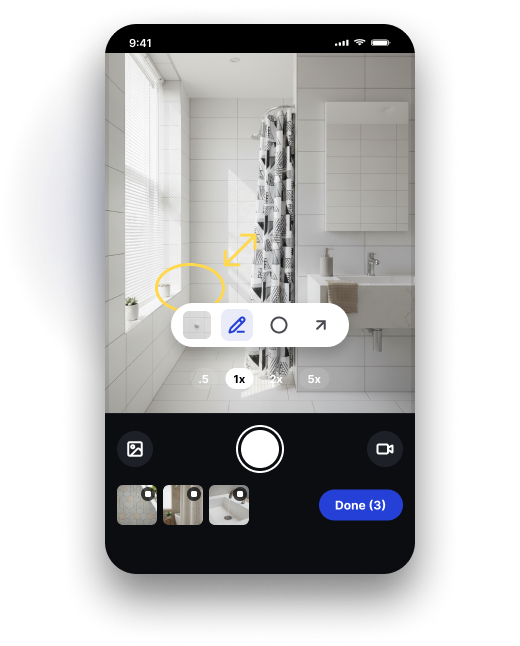
Walk the job, narrate what you see record
Open the camera and walk the site with it rolling. Talk through progress, issues, and next steps — snap photos along the way.
AI drafts the scope from your video ai draft
Eano pulls work completed, delays, and action items from your narration and footage, and grabs the key frames as photos. A complete draft, ready when you are.
Review the draft, make it yours review & edit
Everything is editable: reword a note, swap a photo, add what the camera missed. Your company template keeps the right details in every log.
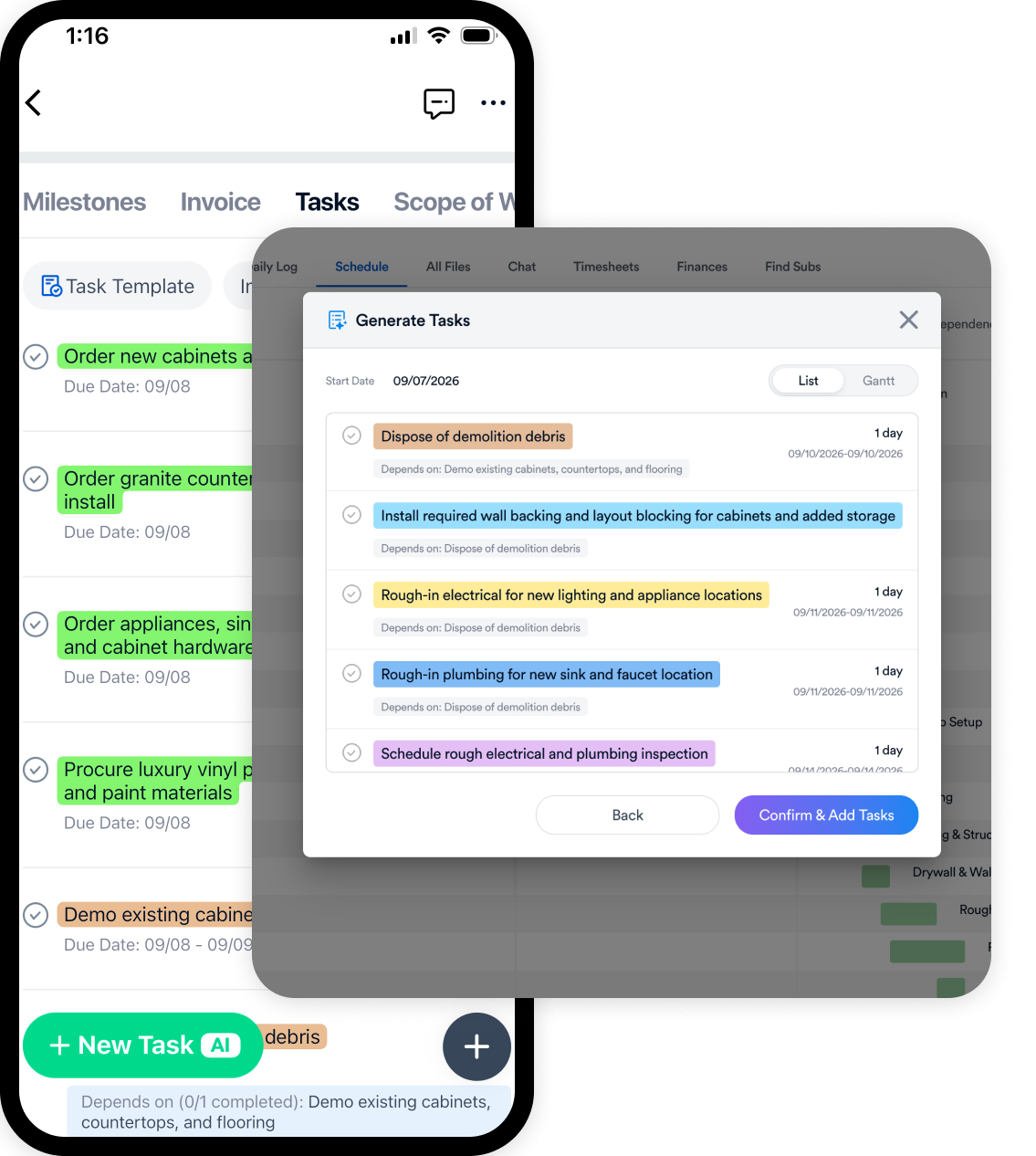
Confirm the tasks AI found confirm tasks
Say “flooring guys start Monday” and it becomes a task. Anything actionable from the walkthrough is queued up — you confirm which ones to create and who to assign them to.
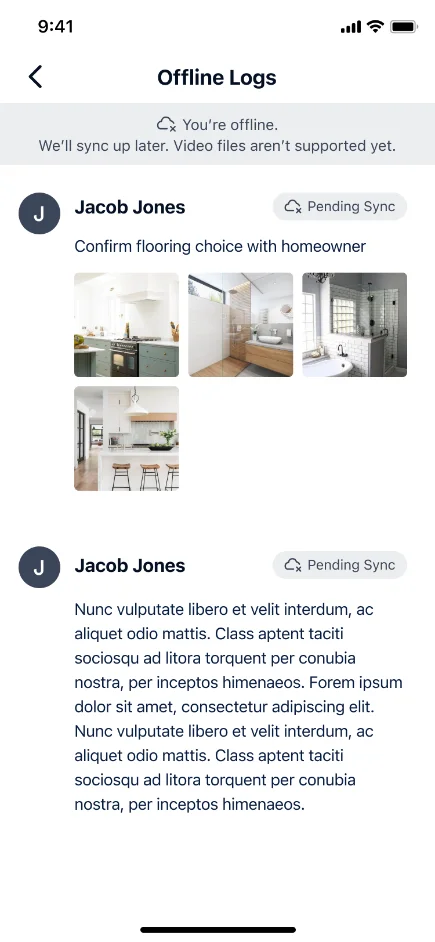
Publish to the project record publish
One tap files the log to the project — time-stamped, searchable, photos attached. Works with zero bars; syncs when signal returns.
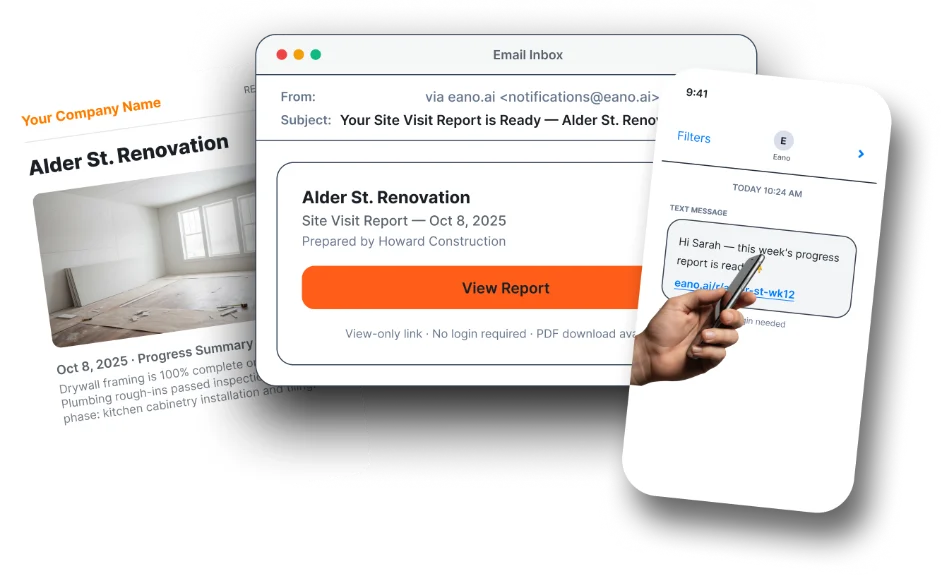
Share a client-ready report optional share
Optionally send a polished progress report by SMS, email, or secure link. Clients just tap — no login, no app.
5:04 PM — Log published.
Clients and team informed before you clock out.
Every walkthrough becomes a searchable record: for coordination, for client trust, and for the day someone disputes an invoice.
Book a demoFrom muddy boots to a client-ready PDF in one tap
Every published log can become a client report. Pick the best frames from the walkthrough, annotate right on the image, zoom into the detail that matters, and Eano lays it out into a polished progress report — shareable by secure link, client portal, or a print-ready PDF.
⚡ Share progress instantly
Send reports by SMS or email. Clients and subs just tap a secure, view-only link — no login, no app required.
Experience the Power of Eano Pro Today